
DS
Shin chan e i Colori Magici!
Also known as: 신짱과 마법 색깔!, 新 ちゃん e i Colori Magici!, 新樱花大战 - 魔法色彩!, 新蠟筆小新 魔法色彩!
- Platform
- Nintendo DS
- Year
- 2007
- Developer
- Inti Creates
- Publisher
- 505 Games
EmuAll provides verified clean ROM archives and in-browser emulation for Shin chan e i Colori Magici! (DS). Players can launch and play directly inside modern desktop and mobile browsers with zero local installation, full gamepad support, and instant save states.
ROM downloads
1Shin chan e i Colori Magici! (Italy)
Recommended Emulators(DS)
If you choose to download this ROM to play offline, we recommend these top standalone emulators:
About the Game
Shin Chan e i Colori Magici! is an Action/Adventure/Platformer for Nintendo DS. Play as Shin Chan, a 5-year-old Japanese boy, who enters the colorful world of dreams to repair damage caused by a dream-eating pig named T.A.B. Collect markers and costumes to transform and access new abilities. The story follows Shin Chan rescuing his family and friends from this mysterious villain. Stand out with vibrant 2D platforming levels, colorful power-ups, and chaotic mischief typical of the Crayon Shin-chan series. Includes side challenges and exploration in dream-like environments.
More DS games
 ds
dsDrawn to Life - Kamisama no Marionette
 ds
dsDrawn to Life - SpongeBob SquarePants Edition
 ds
dsBibi & Tina - Jump & Ride
 ds
dsSpy Kids - All the Time in the World
 ds
dsMushroom Men - Rise of the Fungi
 ds
dsBen 10 - Alien Force - Vilgax Attacks
 ds
dsAlice in Wonderland
 ds
dsM&M's - Adventure
 ds
dsBen 10 - Alien Force
 ds
dsBibi & Tina - Die Grosse Schnitzeljagd
 ds
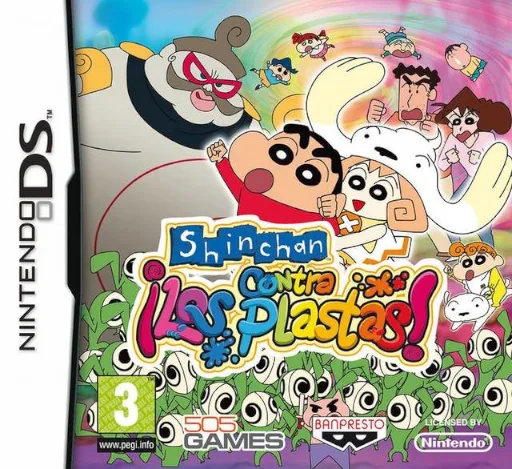
dsShin chan contra los Plastas!
Frequently Asked Questions
Q1.Can I play Shin chan e i Colori Magici! online in a web browser without downloading?
Yes, EmuAll allows you to play Shin chan e i Colori Magici! (DS) directly inside modern web browsers (Chrome, Safari, Edge, Firefox) on PC, Mac, Chromebook, iOS, and Android devices without installing any emulator.
Q2.Does Shin chan e i Colori Magici! support in-browser save states?
Yes, the in-browser emulator features instant Save States and Load States, storing your game progress directly in your browser storage so you can pick up where you left off.
Q3.What controls are supported? Can I use a controller for Shin chan e i Colori Magici!?
The emulator fully supports standard keyboard controls as well as plug-and-play USB and Bluetooth gamepads (including Xbox, PlayStation, and generic controllers).