
DS
Sekai no Shougi
Also known as: Σεκαι νο Σουγκι, 세계의 장기, Ajedrez del Mundo, 世界の将棋, Gli Scacchi del Mondo, Xadrez do Mundo, Échecs du Monde, سيكاي نو شاوغي, 世界將棋, Das Schachspiel der Welt, 世界将棋, Секай но Шауги
- Platform
- Nintendo DS
- Genre
- RPG
- Year
- 2008
- Developer
- Global A Entertainment
- Publisher
- Global A Entertainment
EmuAll provides verified clean ROM archives and in-browser emulation for Sekai no Shougi (DS). Players can launch and play directly inside modern desktop and mobile browsers with zero local installation, full gamepad support, and instant save states.
ROM downloads
1Sekai no Shougi (Japan)
Recommended Emulators(DS)
If you choose to download this ROM to play offline, we recommend these top standalone emulators:
About the Game
Princess Angela, a spoiled noble lady, embarks on an adventure to win over a handsome adventurer at a grand ball. She pouts to alter the world around her, changing terrain types like barren land, grassland, forest, meadow, desert, or graveyard to unlock new quests, adjust enemy levels, or boost drops and experience. Battles use a Mimic Slime pet that mimics enemy abilities to grow its power instead of traditional leveling. The world map features towns and changeable environment grids for self-directed RPG exploration.
More DS games
 ds
dsContact
 ds
dsFinal Fantasy IV
 ds
dsFossil Fighters Champions
 ds
dsRPG Tkool DS
 ds
dsAnnie no Atelier - Sera-tou no Renkinjutsushi
 ds
dsLegend of the Demon-Subduing Talismans
 ds
dsGamebook DS - Aquarian Age - Perpetual Period
 ds
dsDigimon Story - Super Xros Wars - Blue
 ds
dsKatekyoo Hitman Reborn! DS - Fate of Heat III - Yuki no Shugosha Raishuu!
 ds
dsDragon Quest Monsters - Joker 2 - Professional
 ds
dsBlue Dragon - Ikai no Kyojuu
 ds
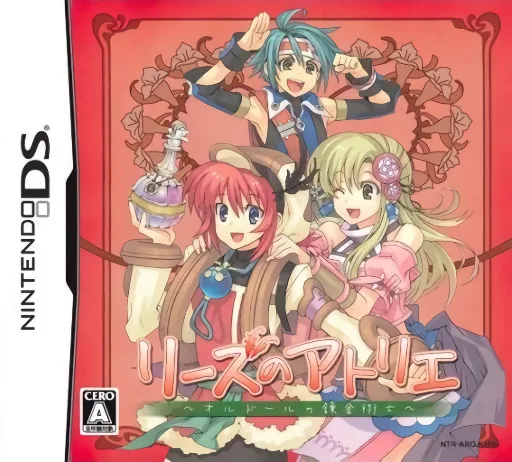
dsLise no Atelier - O'ldor no Renkinjutsushi
Frequently Asked Questions
Q1.Can I play Sekai no Shougi online in a web browser without downloading?
Yes, EmuAll allows you to play Sekai no Shougi (DS) directly inside modern web browsers (Chrome, Safari, Edge, Firefox) on PC, Mac, Chromebook, iOS, and Android devices without installing any emulator.
Q2.Does Sekai no Shougi support in-browser save states?
Yes, the in-browser emulator features instant Save States and Load States, storing your game progress directly in your browser storage so you can pick up where you left off.
Q3.What controls are supported? Can I use a controller for Sekai no Shougi?
The emulator fully supports standard keyboard controls as well as plug-and-play USB and Bluetooth gamepads (including Xbox, PlayStation, and generic controllers).